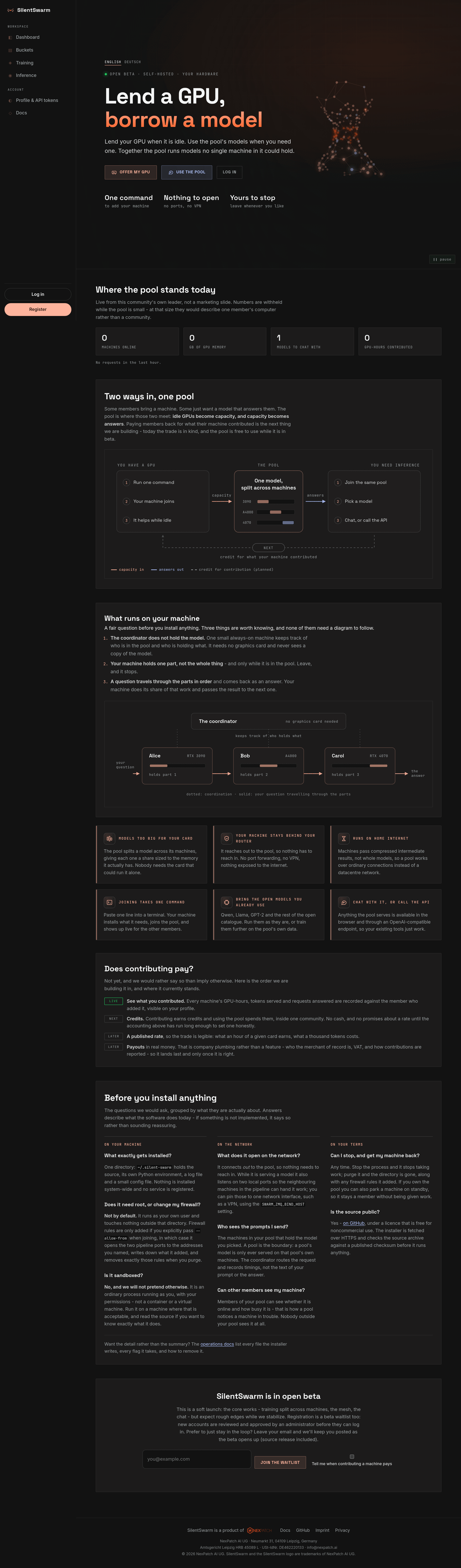
The web UI — a guided tour
This guide walks through every page of the SilentSwarm web app, with a
screenshot and an explanation of what each control does. It reflects the app as
served by the leader (the control plane) at your leader URL — e.g.
http://localhost:3000 for a local Docker run.
Screenshots come from a fixture cluster built by
scripts/screenshot_docs.py: one admin account, a Lab Cluster pool with four machines (three active, one standby), a Qwen2.5‑3B bucket, and a compressed model deployed across two stages. Your own data will differ, and a brand‑new install shows empty states instead. The UI is dark by default; light and system (follow your operating system) themes are in the account menu. These docs share that choice, and the toggle in their header changes it for the app too.
The two UIs
SilentSwarm has two operational surfaces, both reachable from the sidebar:
- Training console (
/training, or/pools/{owner}/{pool}/training) — add machines to the swarm, launch and monitor training jobs, and watch the live swarm graph. - Inference page (
/inference, or/pools/{owner}/{pool}/inference) — load a trained model and chat with it, or copy an OpenAI‑compatible API snippet.
Everything else (dashboard, buckets, pools, admin) organizes the data and access around those two.
The sidebar
Every signed‑in page shares one left sidebar, and every destination is a top‑level link — nothing is hidden behind a dropdown:
| Group | Links |
|---|---|
| — | Active pool (the switcher under the logo): Training and Inference act on this pool. Opening a pool's page does not change it; the pool page offers Make active instead. |
| Workspace | Dashboard, Buckets, Training, Inference. |
| Administration | Admin — users, pools, quotas, announcements, waitlist, email and the audit log, as sub‑pages with their own tabs. Visible to admins only. |
| Account | Profile & API tokens, Docs, and Send feedback - a short note to the people running this pool, sent with your account email so they can reply. |
| footer | Serving status, then the account menu: profile, help, language, theme (dark, light or system) and log out. |
The sidebar is rendered by the server, already personalised — the account chip, the active page, the admin link and the pool chip all arrive with the page rather than being filled in by JavaScript afterwards, so a navigation never rebuilds it. On a wide screen the button next to the logo collapses it to a rail of icons (hover or focus an icon for its name); the choice is remembered. Below 1024 px a bar at the top carries the menu button, and the sidebar opens over the content as a drawer with its own close button; picking a link, pressing Escape or tapping outside closes it.
Pages without a session have no sidebar: the landing page and the legal pages carry a slim top bar with the docs, the language switch and the way in, and log in, registration and password reset show a single centred card with the language and theme choice below it.
Every page at a glance
| Page | Route | Who | Guide |
|---|---|---|---|
| Landing | / |
Everyone | Accounts & sign‑in |
| Landing (German) | /de |
Everyone | Accounts & sign‑in |
| Register | /register |
Everyone | Accounts & sign‑in |
| Log in | /login |
Everyone | Accounts & sign‑in |
| Dashboard | /dashboard |
Signed‑in | Dashboard |
| Training console | /pools/{owner}/{pool}/training (/training) |
Signed‑in | Training console |
| Inference | /pools/{owner}/{pool}/inference (/inference) |
Signed‑in | Inference |
| Buckets | /buckets |
Signed‑in | Buckets |
| Bucket detail | /buckets/{owner}/{bucket} |
Signed‑in | Buckets |
| Pool detail | /pools/{owner}/{pool} |
Members | Pools |
| Organizations | /orgs, /orgs/{org} |
Signed‑in / members | Organizations and addresses |
| Pools (admin) | /admin/pools |
Admin | Pools |
| Users (admin) | /admin/users |
Admin | Administration |
| Audit log (admin) | /admin/audit |
Admin | Administration |
| Profile | /profile |
Signed‑in | Profile |
| OAuth consent (MCP connectors) | /oauth/authorize |
Signed‑in | AI agents (MCP) |
Everything above can also be done from an AI agent - Claude Code, Claude Desktop, a claude.ai connector - through the leader's MCP endpoint, with your token's permissions: see Use SilentSwarm from an AI agent.