Profile — /profile
Your personal account settings. Reach it from Profile & API tokens in the sidebar's Account group, or from the account chip at the bottom of the sidebar.
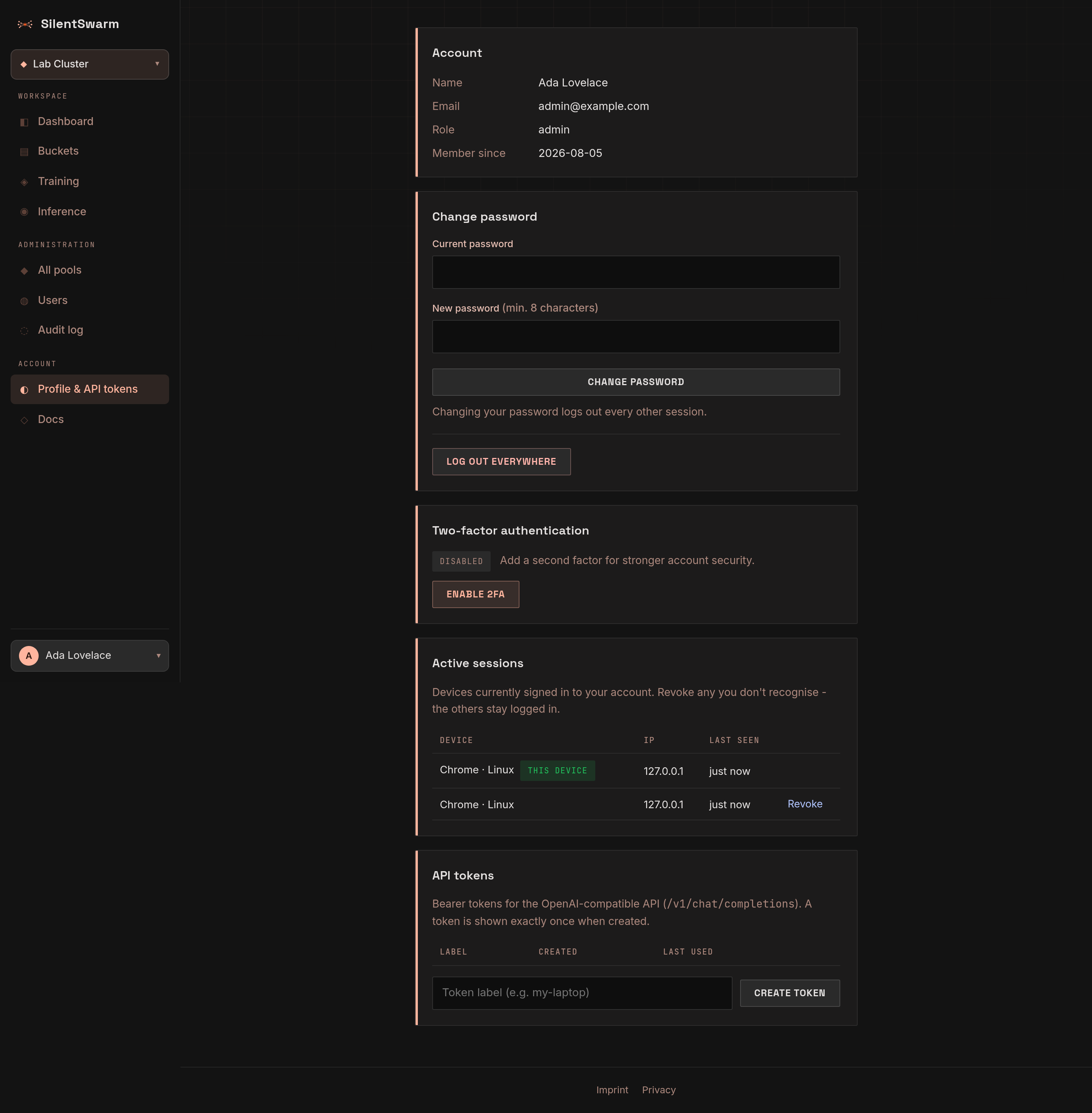
The page has four tabs. The selected tab is kept in the address (for example
/profile#tab-security), so a tab can be linked to and survives a reload.
- Account — your display name, handle, email, role, and the date you
joined. The Handle card changes your handle, the owner part of your pool
and bucket addresses (
/pools/{handle}/...); the old addresses keep redirecting. See Organizations and addresses. - Security
- Change password — needs your current password. Changing it signs out every other session.
- Two-factor authentication (2FA) — enrol a TOTP authenticator for an
extra sign-in factor: scan the QR code (or copy the manual key), enter a
6-digit code to confirm, then save the recovery codes shown once. Admins
may be required to enable this (
SWARM_REQUIRE_ADMIN_2FA), in which case you are routed to/profile?enroll=2fa, which opens this tab and starts enrolment. The QR code is always black on white with a full quiet zone, in every theme, because that is what authenticator apps scan reliably. - Active sessions — every device currently signed in to your account, with its browser/OS, IP address and last-seen time. The one you are reading this on is marked This device; Revoke ends any of the others and leaves the rest alone. This is how you check whether anyone else holds a session on your account. Log out everywhere (confirmed) ends every session, this one included.
-
API tokens — bearer tokens for the
swarmCLI and the OpenAI-compatible inference API (/v1/chat/completions), listed with when each was created and last used, and the scopes each one holds. Create token opens a dialog that asks for a label (say where the token will be used, so you know which one to revoke later) and what the token may do:Scope What it allows Read (ticked by default) Look at pools, jobs, models, buckets and logs. Changes nothing. Operate Make changes: submit and cancel jobs, load models, manage buckets and pools, chat with a served model. Admin (admins only) Use the admin area: users, every pool, site settings. Tick at least one. The
swarmCLI and chat clients need Read and Operate; a dashboard or report needs only Read. Scopes are separate: an Operate-only token can change things but cannot read them back. A token never does more than its owner may - if an admin is demoted, their admin-scoped tokens lose Admin at once. The dialog then shows the secret once with a Copy button - copy it before you press Done. Revoke (confirmed) stops a token immediately.Tokens created before scopes existed are marked Legacy: they keep what they always could, which is everything your account can do. A notice above the list says so; create a narrower token for each use and revoke the old one.
Apps you connected through the browser sign-in (an AI agent over MCP) are listed here too, as
oauth: <app name>tokens. The AI agents page lists them by app, with Disconnect - see Use SilentSwarm from an AI agent. - Contribution — what your machines have done for their pools: machines contributed, GPU-hours, tokens served and requests answered.
The interface language, the colour theme (dark, light or system) and Log out live in the account chip at the bottom of the sidebar, next to the link to this page. The theme is remembered in a cookie, so every page opens in it.